7 · Interstellar Expedition & Return
-
Arrange 10 Create Mechanical Crafters with rotational power as shown. Point both sides inward and the center column down. Collect the drive and returned empty bucket at the bottom.
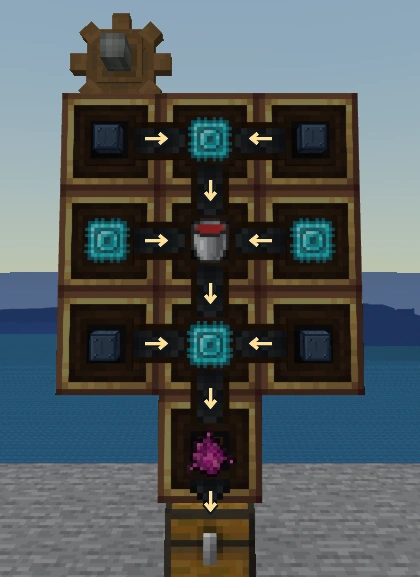
Front view of the loaded crafters. Arrows show the crafting directions into the chest at the bottom. Put one Osmium Alloy Pressure Hull in each corner, one Elite Control Circuit on each edge of the 3 × 3 grid, one bucket of deuterium in the center, and one Host Ganglion in the bottom slot.
-
Install the Interstellar Drive, thrusters, and a tank that can supply deuterium on the same ship. Check connections, dry and wet weight, and tank levels. Test takeoff, landing, and reverse thrust on Hearth before checking off installation.
-
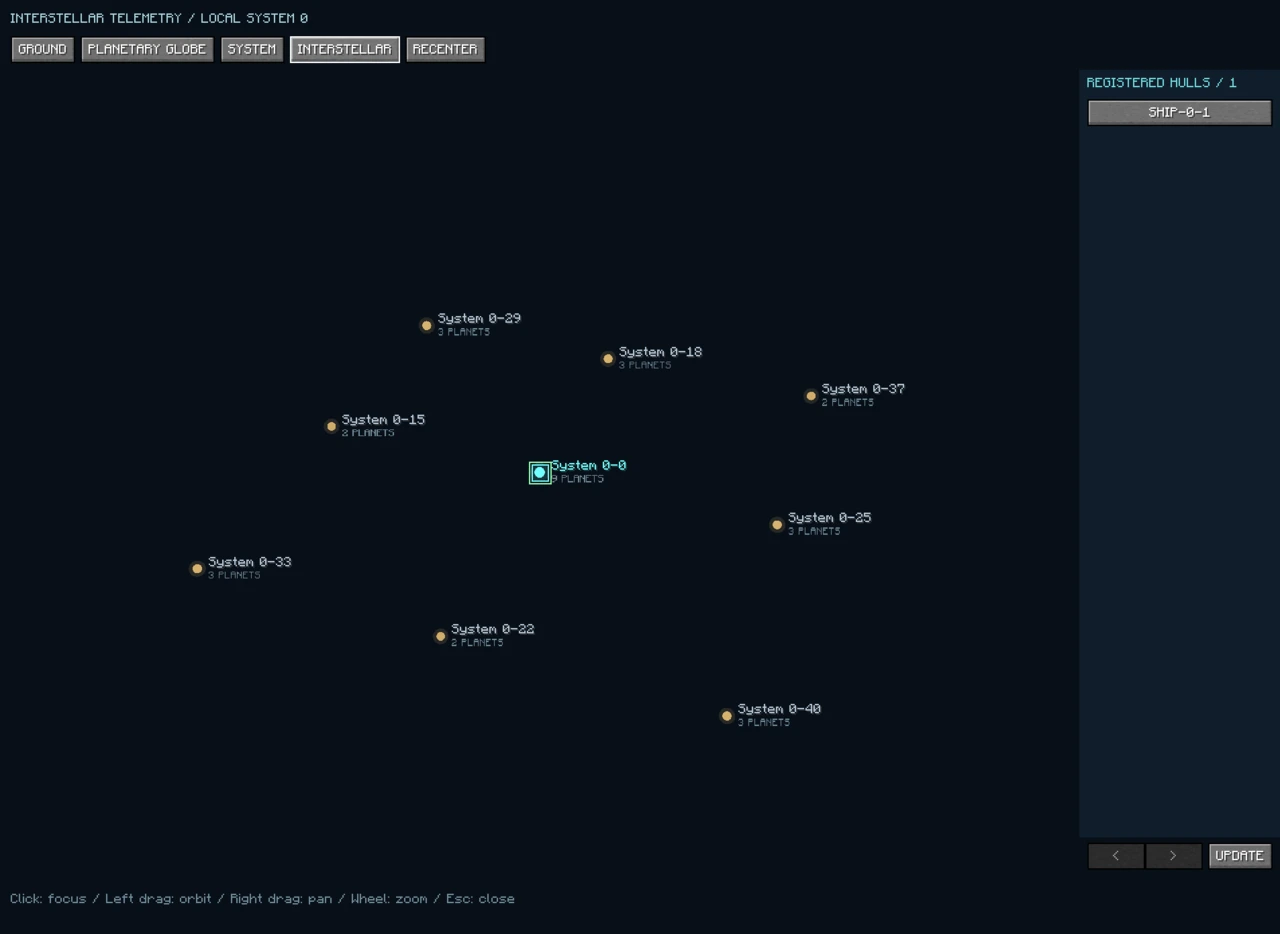
Use the Atlas interstellar map to pick another system and a specific world you can land on. Mark your Hearth base and record distance, approach speed, ship, cargo, and fuel. Budget for outbound acceleration, course corrections, braking and landing at the destination, and return takeoff and braking. Keep emergency deuterium separate. Pack food, lighting, tools, spare parts, and building supplies, and arrange outpost resupply before checking off the plan.
-
Set a navigation target in Atlas while piloting and verify it on the HUD. Leave your home system and confirm the same ship still has thrust before checking off departure. Beyond your home system, thrust and braking both require the drive and drawable deuterium. Coasting uses none, but don’t spend the fuel you’ll need to stop.
-
Verify that the landing planet belongs to the other system. Watch relative speed and distance, brake early, and land on clear ground. Once stopped, verify the ship, cargo, fuel, and damage before checking off the landing.
-
Mark the site, build a lit shelter and storage, and stock food, tools, spare parts, and delivered compatible fuel. Choose a local resource or construction goal, then deliver and log a shipment for it. Save, quit, and reload. Check the ship, cargo, tank levels, waypoints, and outpost before checking off the task. If fuel is low, stay parked and resupply. Don’t assume you can produce deuterium locally.
-
Use the preflight checklist to review your return budget. Fly the original ship to your marked base on Hearth. Unload, check tank levels and damage, repair, and restock for the next outpost shipment. Log any rescue, ship swap, or extra refueling, then check off the task.
You’re done when you’ve landed in another system, verified the outpost after reloading, and brought cargo back to Hearth in the original ship. From there, expand your supply station, repeat a cargo run, or use the same fuel planning to explore farther.